
 Complete pre-class and post-class forms
- Keep your profile up-to-date
- Track your Juniper classes
- Get detailed information from your class leader
- Give feedback about your experience in the class
- Register for classes
The profile is created when you register for a Juniper class.
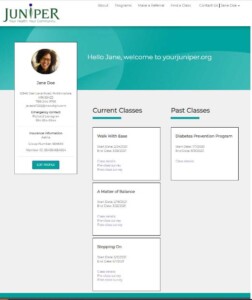
Once created, a you can log into your profile by going to yourjuniper.org and clicking “Sign In” in the upper right corner of the screen. Once you log in to your personal profile you will see the screen pictured here.
Step-by-step guide
A step-by-step video and instruction guide for using the participant portal is now available.
Registering for a Juniper class for the first time and verifying your participant account
Logging in to your Juniper participant account
Resetting your password
Editing your participant profile
Viewing current and past class details
Entering pre and post surveys
Registering for a class while logged in
Troubleshooting unverified participant accounts