New! Get Juniper Class Reminders by Text
09/28/2026


You can get friendly reminders and updates about your Juniper classes, sent right to your phone.
We know life gets busy, and it’s easy for a class day to sneak up on you. As a Juniper participant, you can sign up for text messages (also known as SMS messages) to help you stay on track with your wellness journey!
What you’ll get when you sign up:
It only takes a few minutes to set up Juniper text messages. Signing up for a class for the first time? You’ll see the option to get texts when you create your account.
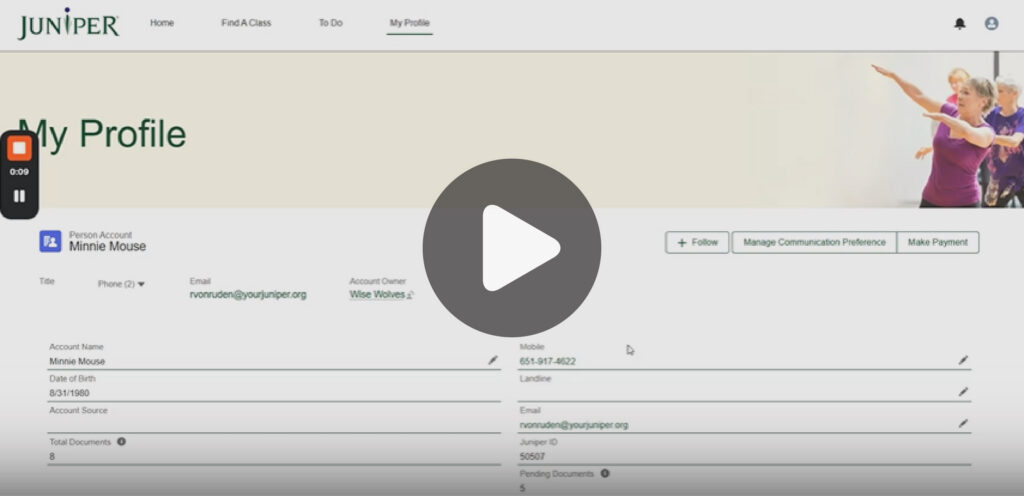
If you already have a Juniper account, log in and select the “Manage Communication Preference” button. From there you will be prompted to answer a few questions to set up text messages. Our short video walks you through each step.
Message and data rates may apply. Reply STOP at any time to opt out.
See below for frequently asked questions about our texting feature.
Anyone with a Juniper account can sign up to receive text reminders and updates. If you already have an account, log in and select the “Manage Communication Preference” button. Follow the prompts on screen to sign up for text messages.
If you are creating a Juniper account for the first time, you will have the option to sign up for text messages as you set up your account.
There is no additional cost to receive text messages from Juniper, however message and data rates may apply.
You will receive one text reminder the day before each class. If you class schedule changes, you will be notified via text. We will send a few messages encouraging you to keep going, but we promise not to spam you! You can opt out at any time by replying “STOP” to any Juniper text message.
You will receive reminders about upcoming classes approximately 24 hours before each session.
Yes. You can opt out anytime by replying “STOP” to any Juniper text message you receive.
No! We take your privacy very seriously and we will not share your phone number or any other contact information.
Yes, you can change your phone number at any time by logging into your account and updating the phone number you have listed.
Simply reply “STOP” to any Juniper text message you receive. If you decide you want to resume receiving text messages, you can update your Juniper account to opt back in.
Currently you can opt in to receive “treatment” and/or “marketing” messages. Treatment messages relate to your specific Juniper classes. If you choose to receive “treatment” messages, you’ll get class reminder texts as well as updates if your class schedule changes at all. If you opt to select “marketing” messages, we’ll send you notifications about Juniper classes you may be interested in joining. You can opt out to either type of messages at any time by replying “STOP” to any Juniper text you receive.
If you are having issues signing up to receive text messages, view our how-to video for step-by-step instructions. If you are still having issues, contact us at 1-8555-215-2174 or info@yourjuniper.org for assistance.

